
A destination has to make sense for the unit trying to reach it. An explorer can fly over terrain that stops an untrained ground unit; a worker may take a longer route to eat or gather the material its job needs. Use exploration to understand those constraints before committing buildings or an army.
Discover supplies before expanding
Black terrain is undiscovered. Workers reveal land along their trips, but explorers are the more flexible way to inspect a wider region. Produce an explorer at the swarm while keeping the inn and swarm supplied, then restore the production mix you need.
As terrain is revealed, look for three practical things:
- Food and materials: where could the next inn or useful construction go?
- Routes: can ground units get there without a long detour?
- Threats: which approaches connect an opponent to your working colony?
Do not place a remote service simply because the ground beside it is clear. Workers still need to build and supply it, and users need a workable trip back to meals and healing.
Send an explorer toward a question
Use an Exploration flag to direct exploration toward a location you want to inspect. The default sequence is F → E.
- Produce at least one explorer.
- Place an exploration flag toward the region of interest.
- Right-click to stop placement, then select the flag.
- Inspect its Working request and radius. Request a unit you have, with a level filter it can satisfy.
- Resume and watch where the explorer goes and what land becomes visible.
- Move the flag to the next useful region, or remove the request when it is no longer needed.
A flag asks autonomous units to work around a destination. It does not prevent them from handling their own food and medical needs. If an explorer returns home, inspect those needs before assuming the flag failed.
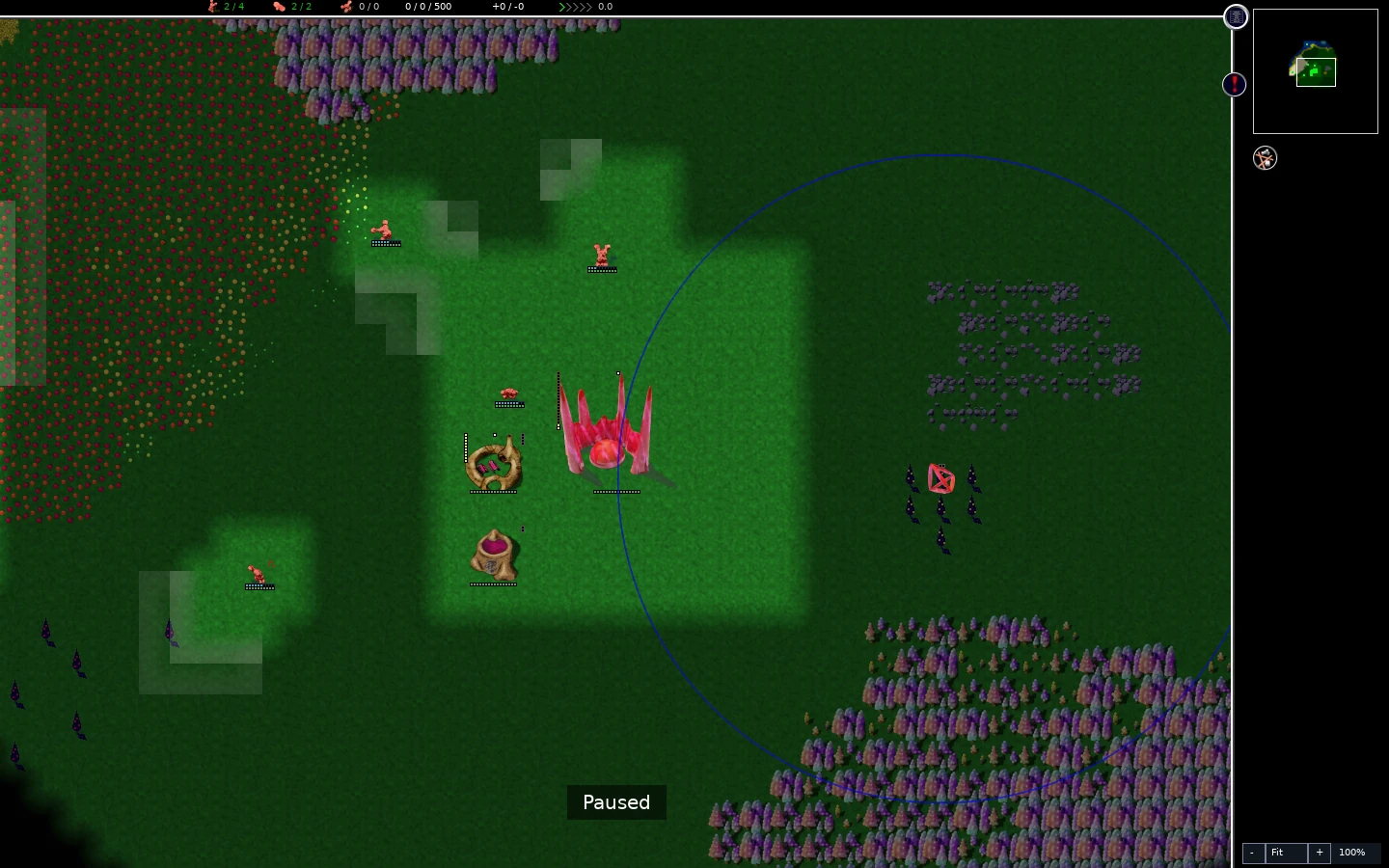
Gameplay clip
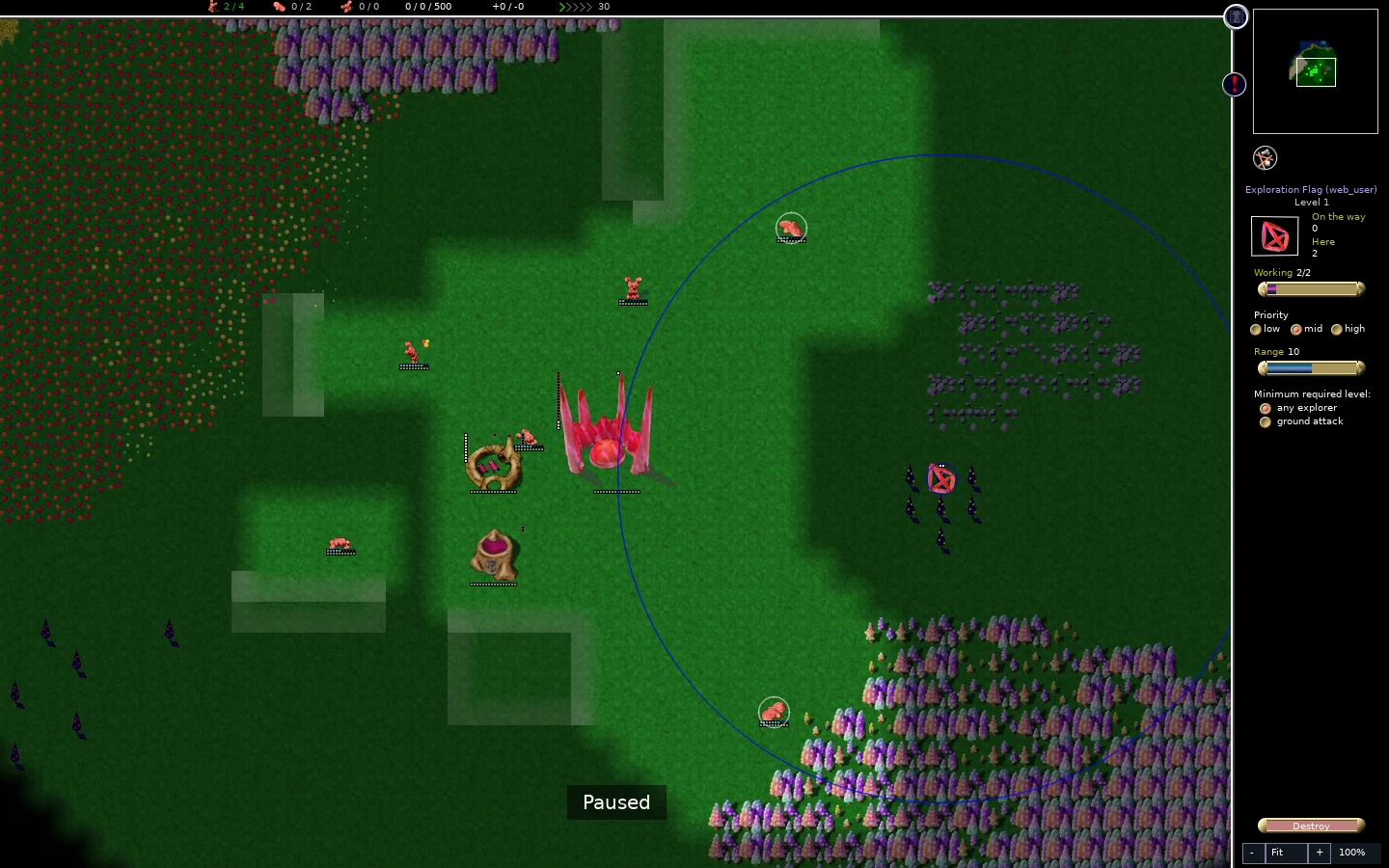
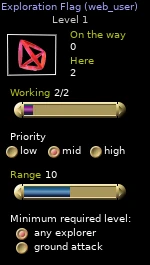
Distinguish discovery from current vision
Discovering terrain tells you about the map. Current vision tells you what is happening in an area your colony can observe now. Do not assume a previously revealed region still provides a live view of enemy movement after your scouts leave.
Fruit harvesting needs current visibility, too. Discovering an orchard once does not permanently make its fruit accessible. Keep the fruit patch in view if a service depends on it; when fruit deliveries stop after a scout leaves, check vision alongside the route and available workers.
The minimap helps compare the discovered layout with your current camera position. Use it to inspect another region, then press Home to return to base. Those are camera actions, not scouting orders.
A custom Reveal terrain rule changes terrain discovery. It is not permission to assume every enemy unit remains visible everywhere. Read that match’s rule summary before using the fog as evidence of an opponent’s position.
Match routes to abilities
Ground units need usable ground routes. Water can separate a destination from workers or warriors that have not learned to swim. A swimming pool provides swimming training; inspect the selected glob’s abilities before assuming it can cross.
Training also requires a usable service and time away from other duties. Building a swimming pool does not instantly give every unit the ability. Release suitable units from nonessential work and allow them to train before relying on a water crossing.
Explorers fly and can inspect terrain beyond a ground route. That information is useful, but an explorer reaching the far bank does not prove your builders or army can follow. Explorers also have combat abilities; do not treat every contact between opposing flyers as harmless scouting.
Remember the map wraps
The map joins opposite edges. A route that looks far apart in a flat view can be short across that seam, and an opponent can approach from across it. Consider both sides of a boundary when placing defense or judging distance.
Where the graphics renderer supports it, the torus view (G by default) helps inspect that relationship. Software rendering may leave the ordinary map view active. Use the minimap and camera movement to inspect approaches in either mode, and return to the normal map view for precise placement. A camera seam is not a protective wall.
Diagnose a unit taking an unexpected route
Select the unit and inspect its activity and needs. T toggles lines to unit targets; those straight lines help identify destinations, but do not trace the navigable route. Check:
- The destination and its eligible unit role.
- Water and other terrain the unit can actually cross.
- Forbidden areas you painted, when diagnosing a ground unit; flying explorers can cross them.
- Buildings or resource patches constraining access.
- The food or healing trip the unit is taking instead of its assigned work.
Change one cause at a time. Erase a misplaced forbidden patch before adding more units to the same unreachable job. Move a flag onto a reachable route rather than spreading requests across an obstacle.
Optional terrain families and experiments may add different effects to a particular map. Read their descriptions when they are present; do not assume unusual terrain behaves like ordinary grass, sand, or water.
Make exploration pay for itself
Before a large attack or expansion, answer a concrete question with your scouts: where is the food, where is the crossing, where can a supplied force assemble? Record the answer in your plan, then avoid leaving every explorer committed to an obsolete destination.
Once you can read routes, use that information to defend the colony or organize a supplied attack.