
You give the colony jobs, rather than issuing a route to every glob. Buildings request workers; flags request units around a location; painted areas change how the colony uses terrain. Globs still need meals, healing, eligible skills, and usable routes.
Keep the food jobs staffed first
Begin with a supplied inn and a swarm. Select the inn and inspect Working, Food, and its current activity. Do the same for the swarm. The number before the slash is attached workers; the number after it is requested workers.
A request is a target, not a new worker. If you ask five buildings for three workers each while the colony has only a handful, some jobs will wait. Workers taking meals or healing also cannot be everywhere at once.
Use this small exercise in a practice match:
- Check that food reaches the inn.
- Place one useful construction site near its materials.
- Give the site a modest Working request.
- Watch both the site and inn while workers travel.
- If the inn empties, reduce the site’s request before adding another project.
Check the actual outcome, not just the requested number. A building with full stock may not need everyone requested at that instant; a site missing a reachable material cannot use extra labor effectively.
Use priority to choose between competing requests
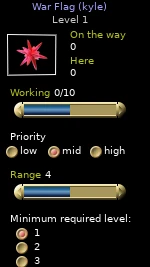
The selected building’s Priority row offers low, medium, and high. Raise an essential food job above a nonurgent construction job when they compete for workers. Leave enough labor for new tasks instead of treating every project as high priority.
Priority changes hiring preference. It does not create workers, refill an exhausted forest, train an unqualified builder, or open a blocked route. If a high-priority job remains empty, inspect those other requirements.
For higher-level construction, check worker training. A plentiful supply of ordinary workers does not substitute for builders with the required construction qualification. Release eligible workers from other duties and keep training services usable before requesting another upgrade.
Choose the right flag
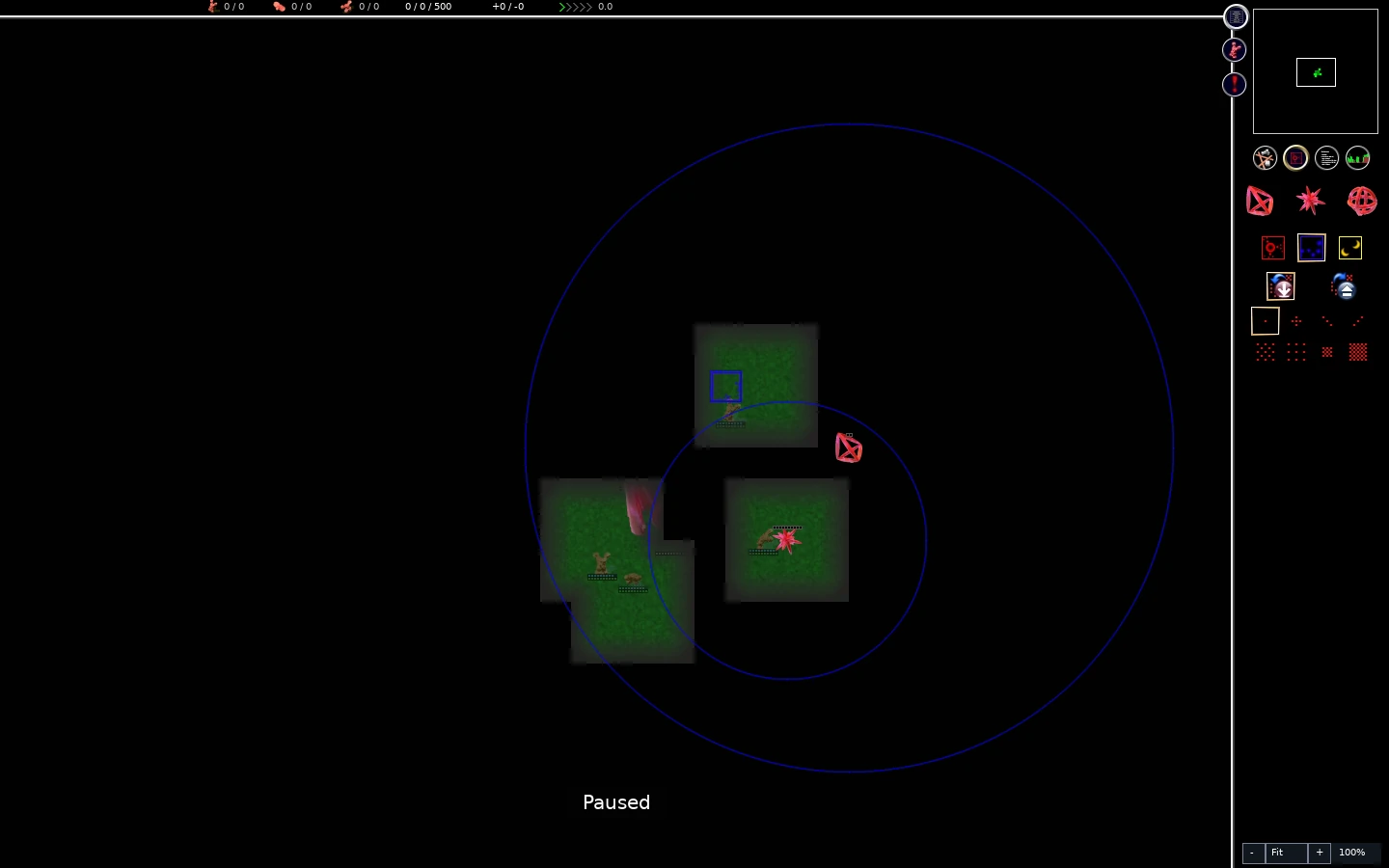
Open the flags/areas sidebar below the minimap, or use the default F sequence.
Scroll to compare all columns ↔
| Flag | Default sequence | Job |
|---|---|---|
| Exploration | F → E | Send explorers toward a chosen region |
| War | F → W | Request warriors around a combat objective |
| Clearing | F → C | Request workers to clear selected resource materials |
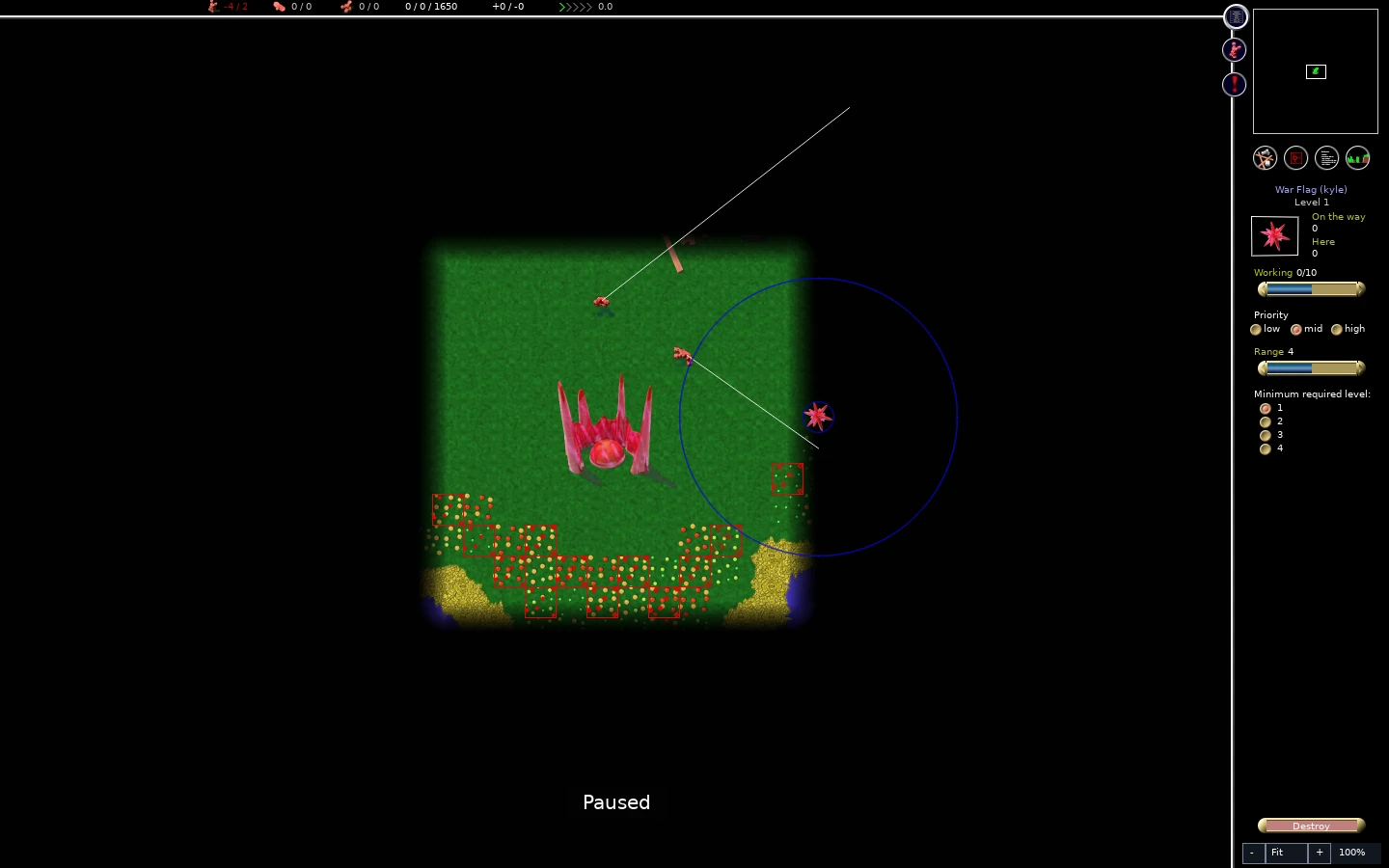
Place the flag, right-click to leave placement, then select the flag itself. Inspect its Working request, range, and any unit-level or material filters. Ask for units you actually have. A war flag will not turn workers into warriors, and a training filter can leave a flag unstaffed until eligible units become available.
A large radius permits a broad job area. A small radius concentrates work around the flag. Choose a radius to fit the task: surveying a region differs from attacking one structure. Increasing radius is not the same as increasing the number of units assigned.
You can drag a flag to move its destination. Reduce its request or remove it when the job ends; otherwise the colony may keep spending effort there. Use exploration flags to inspect useful terrain and war flags to organize an attack.
Paint a small area before painting a large one
Areas are terrain markings, not buildings or unit-production controls. Press A to open areas. With the default controls, A → G selects Guard, A → A selects adding, and A → D selects removing. Choose a brush, then click or drag over the map. Right-click when done.
Scroll to compare all columns ↔
| Area | Use | Main mistake to avoid |
|---|---|---|
| Forbidden | Keep ground units away from marked terrain | Cutting the only usable route to food or construction |
| Guard | Give idle warriors defensive ground to patrol | Painting such a broad area that defense spreads away from the threatened route |
| Clearing | Mark resources for workers to clear | Removing food or useful material that you meant to preserve |
| Farm, when enabled | Use the optional farming-area tool | Assuming this experiment exists in every match |
Use a small patch where you can see the result. With forbidden terrain, check that units still have a route around it. Flying explorers can cross forbidden ground; this tool does not form an aerial barrier. If ground units stall, switch to removing areas and erase the troublesome part. Do not paint a barrier across a food route and then try to solve the result by raising the inn’s priority.
Clearing can permanently change the resource layout. Inspect the materials enabled on a clearing flag and the actual patch before you assign workers. Keep living food patches and their growing space intact when building a sustainable food supply.

Release work when the situation changes
After a new building finishes, its job can change from construction to hauling or service. Recheck its Working request instead of assuming the construction setting is still useful. After exploration or battle, check flags and areas too.
A quick reset is:
- Restore essential food hauling.
- Reduce requests on jobs that no longer need many workers.
- Remove obsolete flags or move them to the next useful task.
- Leave idle units time to eat, heal, and train.
- Resume expansion only when the colony has spare capacity again.
Diagnose an unstaffed job
Scroll to compare all columns ↔
| Symptom | Check | Correction |
|---|---|---|
| Working stays below request | Labor demand, unit meals, health, and existing assignments | Reduce a competing request and allow time for travel |
| Site has workers but does not finish | Missing materials and builder skill | Open supply routes or supply trained builders |
| Flag stays empty | Unit role and minimum-level setting | Produce/train eligible units or relax an unnecessarily strict filter |
| Units stop near an area boundary | Forbidden marks and terrain | Erase the obstruction or choose a reachable destination |
| Food collapses after many new jobs | Inn deliveries and swarm production | Release haulers and slow growth |
Once the basic job system feels predictable, learn how resources and hauling and food supply determine what those jobs can accomplish.